Cumulative Voting
We’re excited to announce that Cumulative Voting is now available on Ballot Bliss!
Cumulative voting is a specialized voting method often used in elections, where voters need greater flexibility in how they allocate their votes. Instead of casting just one vote per candidate or option, voters are given a set number of votes that they can distribute among one or more candidates as they see fit—even assigning multiple votes to a single candidate if they strongly support them.
This feature is particularly useful in situations such as:
Board of Directors elections, where shareholders or members want to ensure minority representation.
Homeowners Association (HOA) board elections, giving voters a stronger say by concentrating votes.
Committee selections, where participants wish to endorse only their preferred choices more heavily.
Student government or organizational elections, where fairness and strategic voting are key.
With cumulative voting now available on Ballot Bliss, you can offer your voters a more strategic and representative way to make their voices heard.
How to Enable Cumulative Voting on Your Ballot
While building your ballot on the Ballot Builder page, navigate to each question and answer option you add.
Note: Cumulative voting is only available for the Multi-Choice questions.
Under the settings for each question, check the box labeled "Cumulative Voting."
Set the following parameters:
Min Answers: Enter the minimum number of votes a voter must cast for that ballot question.
Max Answers: Enter the maximum number of votes a voter can cast for that ballot question.
After enabling cumulative voting for a question, continue building your ballot. You can repeat the same steps for any additional questions where cumulative voting is needed.
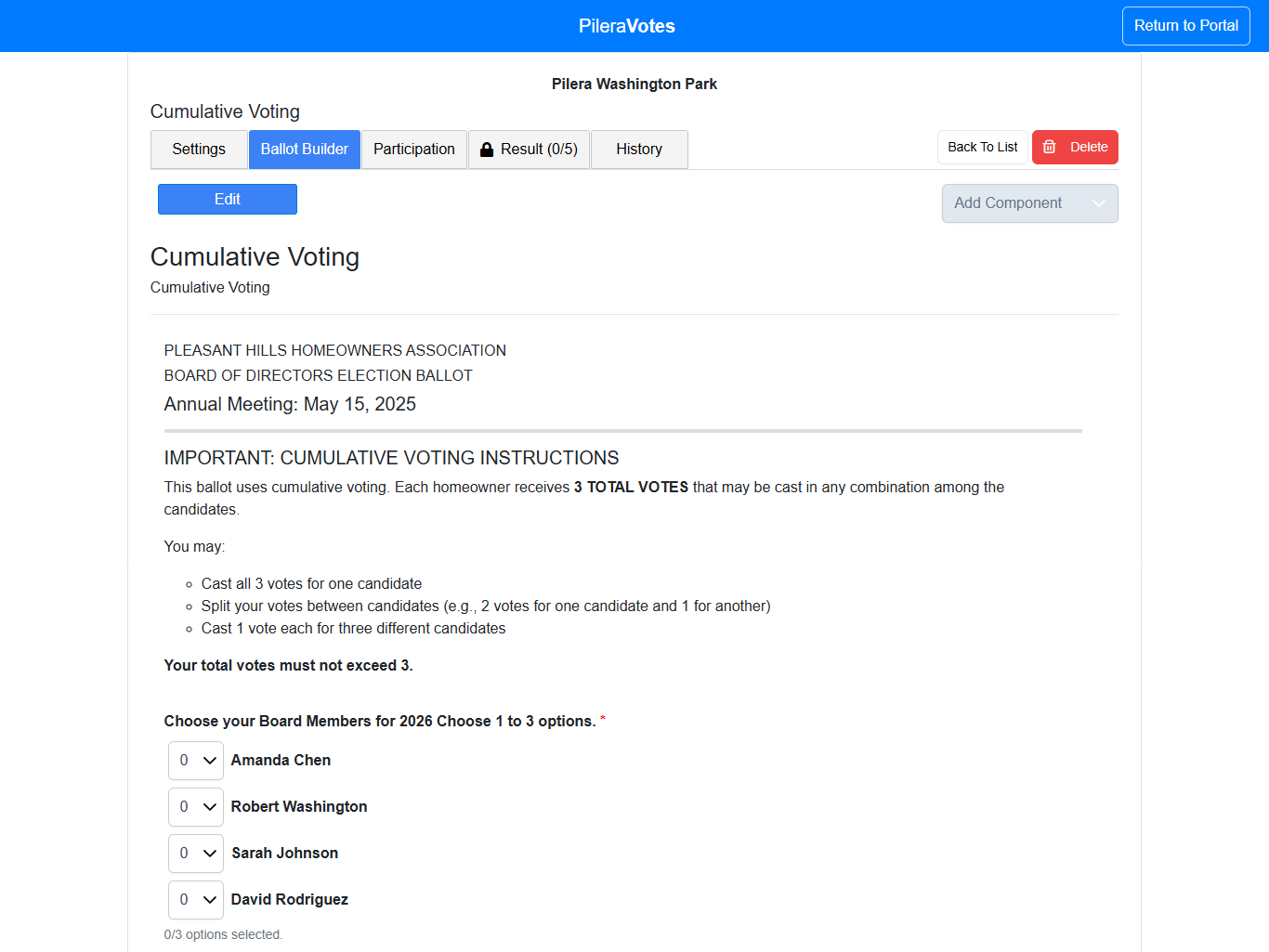
Example of a Ballot with Cumulative Voting Enabled
 Pro Tip
"You have 5 votes to distribute among the candidates. You may assign multiple votes to one candidate or spread them among several."
This simple step can boost voter confidence and ensure smoother election results!